Skip to content
LinkClick
Clyko AI co-pilot

Meet Clyko. Ask your business anything.

Clyko lives inside your LinkClick dashboard. It notices what changed, explains it in plain words from your real records and points to your next move — and it never acts without your approval.
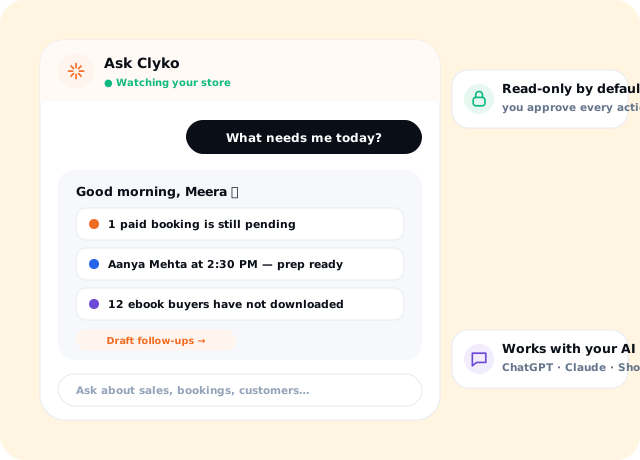
Answers from your real data Read-only by default Drafts, never sends on its own
Clyko AI Co-pilot on LinkClick
Works withWhatsAppEmail
How it works

Set it up once. Every sale follows the same path.

  1. 01Open Ask ClykoIt is already inside your dashboard.
  2. 02Ask in plain words“What needs me today?” “Who is my next client?”
  3. 03Get a grounded answerNumbers and names straight from your LinkClick records.
  4. 04Approve the next moveClyko drafts follow-ups; you decide what gets sent.
Everything included

Built for how coaches actually sell.

Included in the ₹25,000/year creator plan. No per-sale commission — payments go to your own Razorpay.

What needs me today?

A ranked list: pending payments, next client, follow-ups.

Prepare next client

Who is next, when, and what they already bought.

Customer 360

“Tell me everything important about Priya Shah.”

eBook access follow-ups

Buyers who have not downloaded after 24 hours.

Webinar funnel health

Where registrations drop before attendance and purchase.

Payments

Pending, recovered and refunded payments this month.

Read-only by default

No record exists? No claim. Every action needs your approval.

iPhone Shortcuts

Ask Clyko through Siri with a secure personal token.

Your AI tools (MCP)

Off by default; with your consent, use LinkClick from ChatGPT, Claude or Gemini.

Grounded, not guessed

Clyko answers from your LinkClick records. If something is not recorded, it says so instead of inventing an answer — and it labels intent (like a join click) separately from verified facts.

  • Real names and numbers
  • Clear limits when data is missing
  • Approval before any action

Works where you work

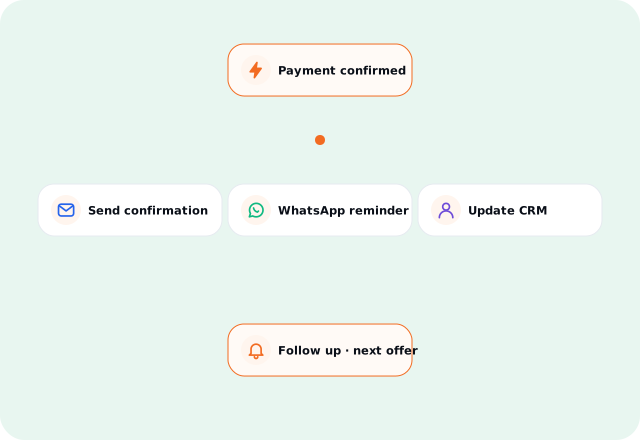
Ask from the dashboard, from your iPhone with Shortcuts, or — when you switch it on — from AI assistants that support MCP.

  • Dashboard assistant
  • Siri via Shortcuts
  • Opt-in MCP connector
Clyko, the LinkClick AI co-pilot
Clyko is watching this for you

Ask your business in plain words.

Clyko answers from your LinkClick records — sales, bookings, payments, attendance and customers — and drafts the next step for your approval.

Meet Clyko
Questions? We’ve got answers

Clyko AI Co-pilot — FAQ

Not on its own. Clyko is read-only by default. It can draft a follow-up, and you decide whether to send it.
From your LinkClick records — sales, bookings, payments, attendance and customers. If something is not recorded, Clyko says so.
The MCP connector is off by default. When you enable it with explicit consent, compatible assistants can use approved LinkClick capabilities.
Yes. Use the dashboard on mobile or ask through iPhone Shortcuts.

Your next sale should feel simple.

Start with the offer you sell today. Let LinkClick handle what happens after the click.